

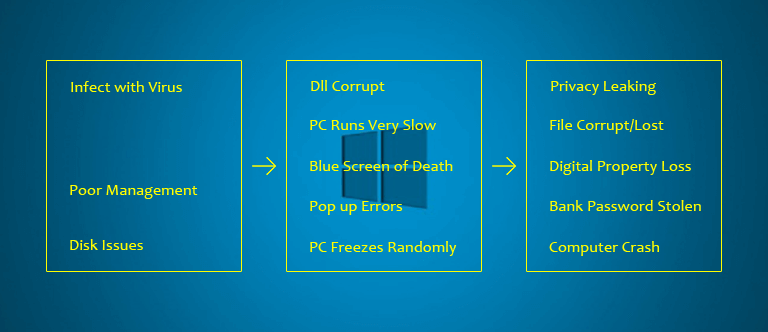
Usually, PC issues may happen on conditions including: infected with malware or viruses, damaged system files, corrupted data, or incorrect configuration.
Attention:
Symptoms:
Common symptoms including: program lock-ups, slow PC performance, program not responding, system freezes, unexpected startup and shutdown problems, installation errors, missing drivers or hardware failure.
The Solution:
Poor management of your computer is the root cause of the all computer issues. MajorAV is highly recommended to diagnose and detect issues on your computer. The software is an all-in-one security solutions including realtime virus protection, clean up disk, speed up computer, decrease system boot up time, update windows drivers. Just follow the easy steps here...
(Instructions) To Fix Unexpected PC Issues
-
Step 1: Download the MajorAV Security Solutions
- Step 2: Click "Save File" and complete the installation.
- Step 3: Click the "Start Scan" button to perform a full scan for your computer with MajorAV.
- Step 4: Resolve the Issues with MajorAV.
By downloading you accept the Privacy Policy and Terms and Conditions. You can use MajorAv free of charge for unlimited time peroid to scan and clean junk files, update drivers, optmize computer, scan for viruses, malware, PUPs, registration is required to use 1-click to remove all malware/PUPs, 1-click to clean all junk files, 1-click to download all drivers, full functionality requires $9.99 monthly subscription.
Unexpected PC Issues
- All-in-one Security Solutions
- Common Computer Issues
Your Unified Solution For PC Security and Utility
Virus Scan
MajorAV use Avira anti-virus Engine and SAVAPI to perform virus scan.
Examine the safety threat existence of system files and effectively isolate and kill. Mainly 3 modes below:
- Quick Scan: Only check system core files.
- Full Scan: Check all disk files.
- Custom Scan: Free to choose disk, folder or files needed to be checked.
Startup Optimizer
Choose to disable or remove items to improve the startup speed. Enhance startup and running speed, decrease stuck and frozen by adjusting startup parameters.
Startup Manager
Improve startup speed by shutting up those items and programs running silently at system startup which will lower startup speed. Mainly including: Startup, Scheduled Task, System Service.
Services Optimizer
Improve computer running speed by forbidden or shutdown useless or seldom-used service.
Drivers Updater
Adopts advanced cloudy technology and based on a huge and comprehensive database to update outdated drivers and fix driver problems with extremely fast speed. It also can make hardware play a better role and computer run more perfectly.
System Cleaner
Clear temporary files, junk files of system operation process, reduce system redundance, gain more available disk space and allow programs to run faster and more efficiently.
Diagnostics
Click "Start Scan" to fully detect computer health with system safety, stability and speed. Quickly and easily analyze system diagnostic procedure just in minutes and get a Diagnostic Report.
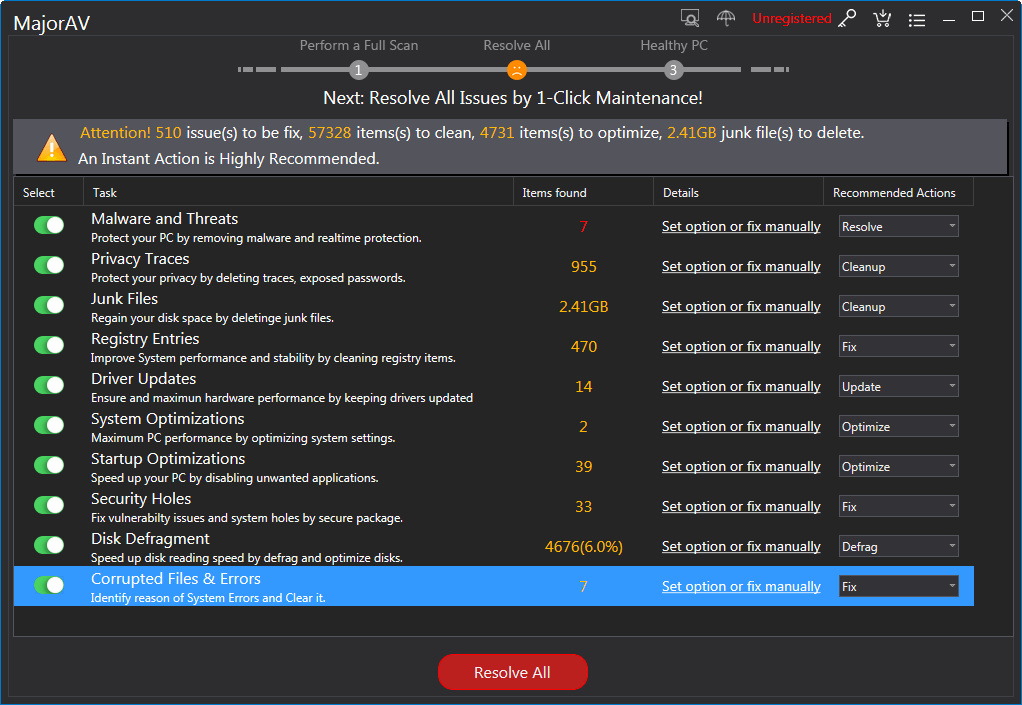
All-in-one Security Solutions:
- Realtime Protection
- Award winning virus engine
- System Cleaner
- Driver updater
- PC speed booster
Windows® Compatibility:
- Windows® 10 (32 and 64 bit)
- Windows® 8 (32 and 64 bit)
- Windows® 7 (32 and 64 bit)
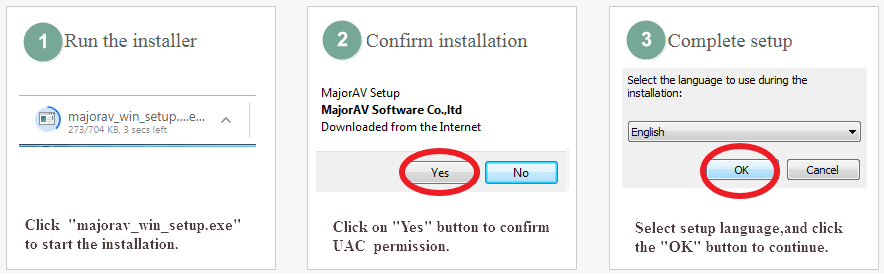
Step By Step Guide
| Step 1 | Download and Install |
| Step 2 | Perform a full scan |
| Step 3 | Resolve All |
| Download Size: | 9.0MB |
| Download Time: | <1 minute |
| Compatibility: | Windows 10, 8.1, 8, 7 |
| System Requirements: | 2GB CPU, 2GB RAM |
By downloading you accept the Privacy Policy and Terms and Conditions. You can use MajorAv free of charge for unlimited time peroid to scan and clean junk files, update drivers, optmize computer, scan for viruses, malware, PUPs, registration is required to use 1-click to remove all malware/PUPs, 1-click to clean all junk files, 1-click to download all drivers, full functionality requires $9.99 monthly subscription.


A FREE Scan (approx. 5 minutes) of your PC's operating system detects problems from 4 categories - Viruses/Malware infections, Junk file and Privacy Issues, PC Speed up Suggestions, and Driver Issues. At the end of the scan, you can review your PC's result and suggestions, security and stability state in comparison with a worldwide average.
Windows Errors
Windows related error is an error that happens when an unexpected condition occurs or when a desired operation has failed. This kind of error may be critical and cause programs to freeze or even crash, or, it may be seemingly harmless but annoying.
Blue Screen of Death(BSoD)
Corrupt DLLs
One of the biggest causes of DLL’s becoming corrupt in the operating system of anyone’s PC is the practice of constantly installing and uninstalling programs. This often means that DLL’s will get overwritten by newer versions when a new program is installed, for example This causes problems for those applications and programs that still need the old version to operate properly. Thus, the program begins to malfunction. Then, when the new program that was just installed is removed again, it leaves behind a corrupt, malfunctioning DLL which means, in turn, that the programs that rely on it malfunction too.
Freezing Computer
Computer freezes are a common problem, and there can be several reasons as to why your computer is frozen.